
Understanding WiFi Networking: A Complete Guide for Businesses
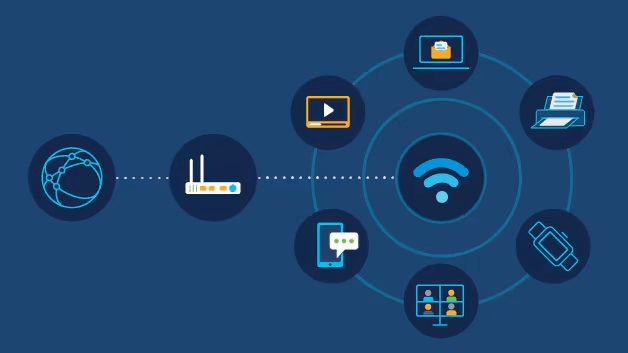
In today's digital-first workplace, reliable WiFi isn't just a convenience—it's a business necessity. Whether you're running a small office or a large enterprise, understanding modern WiFi networking can help you make better infrastructure decisions and provide seamless connectivity for your team and customers.
What is WiFi?
WiFi (Wireless Fidelity) is a wireless networking technology that uses radio waves to provide high-speed internet and network connections. Based on the IEEE 802.11 family of standards, WiFi allows devices to connect to a local area network (LAN) without physical cabling.
Modern WiFi networks operate on two frequency bands: 2.4 GHz and 5 GHz, with the newer 6 GHz band (WiFi 6E) offering even more capacity and less interference.
WiFi Generations: From 4 to 7
WiFi 5 (802.11ac) - 2014
Still common in many devices, offers good speeds up to 3.5 Gbps on 5 GHz band.
WiFi 6 (802.11ax) - 2019
Current standard. 40% faster than WiFi 5, better performance in crowded areas, improved battery life for devices.
WiFi 6E - 2020
Extends WiFi 6 into 6 GHz band, adding 1200 MHz of additional spectrum for less interference.
WiFi 7 (802.11be) - 2024
Emerging standard. Up to 4x faster than WiFi 6, with 320 MHz channels and 16×16 MU-MIMO.
Key Components of a Business WiFi Network
Access Points (APs)
The devices that broadcast the wireless signal. Modern enterprise APs support multiple bands and MU-MIMO.
Wireless Controller
Centralized management for multiple APs, handling authentication, roaming, and optimization.
PoE Switches
Power over Ethernet switches that provide both data and power to access points through a single cable.
Network Security
Firewalls, WPA3 encryption, and VLANs to segment and protect wireless traffic.
Business WiFi Deployment Considerations
- •Coverage vs. Capacity: More devices need more APs, not just stronger signals.
- •Site Survey: Professional RF site surveys identify dead zones and interference sources.
- •Cabling Infrastructure: APs need Cat6 or better cabling back to switches for optimal performance.
- •Guest Networks: Separate SSID with captive portal and bandwidth limits for visitors.
- •Future-Proofing: Invest in WiFi 6/6E capable hardware for 5+ year lifecycle.
Common WiFi Problems and Solutions
Slow Speeds
Cause: Channel congestion, old hardware, or insufficient APs. Solution: Upgrade to WiFi 6, add more APs, use 5/6 GHz bands.
Dead Zones
Cause: Building materials, distance, interference. Solution: Add mesh nodes or additional APs, use wired backhaul.
Roaming Issues
Cause: Sticky clients, poor AP handoff. Solution: Implement controller-based roaming with fast BSS transition.
Security Concerns
Cause: Weak encryption, rogue APs. Solution: Enable WPA3, implement RADIUS authentication, regular security audits.
Business Benefits of Modern WiFi
40%
Increase in employee productivity
60%
Reduction in IT tickets
99.9%
Network uptime with proper deployment
3x
Faster data transfer with WiFi 6
Real-World Success
See how we deployed a hospital-wide WiFi 6 network for a leading healthcare facility, achieving 99.9% uptime and seamless roaming for 500+ devices.
Read Case Study →Future-Proof Your Business
WiFi technology continues to evolve rapidly. With WiFi 7 on the horizon and the growing demand for IoT devices, 4K/8K video conferencing, and cloud-based applications, investing in modern wireless infrastructure isn't optional—it's strategic.
Whether you're planning a new deployment or upgrading existing infrastructure, working with experienced networking professionals ensures your WiFi network becomes a competitive advantage rather than a bottleneck.
Naveen
Software developer and networking expert
Ready to optimize your network?
Contact Layerix Networks for expert IT infrastructure and networking solutions.